VPN Security and Cyber Essentials: What to Check
Posted on 8 September 2026 by Beaming SupportCyber Essentials provides businesses with a practical baseline for protecting systems and data from common cyberattacks. Firewalls, secure configuration, access control, malware protection and security updates all form part of the scheme.
A virtual private network (VPN) can also play an important role. Businesses use VPNs to connect offices, give remote workers access to internal systems and allow trusted third parties to provide support.
However, simply having a VPN does not make a connection secure. Outdated technology, weak settings and overly broad access could create security gaps and affect your Cyber Essentials assessment.
What should a secure VPN protect?
A correctly configured VPN should support three important aspects of information security:
Confidentiality: Encryption helps prevent unauthorised people from reading information while it travels between locations or devices.
Integrity: Integrity controls help identify whether information has been changed while in transit.
Availability: A supported and securely maintained VPN gateway reduces the risk of a vulnerability or failure interrupting access for remote workers and connected offices.
Modern VPN technologies may also include anti-replay protection. This helps stop an attacker from capturing valid network traffic and sending it again later in an attempt to repeat a transaction or command.
Cyber Essentials does not provide a list of approved VPN protocols or encryption algorithms. Its requirements focus on whether your technology is supported, securely configured, protected from unauthorised access and kept up to date.
VPN technologies and settings to avoid
Older VPN protocols and cryptographic settings may still appear in existing firewall configurations, particularly where equipment has been in place for several years.
Settings to review include:
– Point-to-Point Tunnelling Protocol (PPTP), which is outdated and should no longer be used
– Layer 2 Tunnelling Protocol (L2TP) without IPsec, as L2TP does not provide encryption by itself
– DES and 3DES encryption
– MD5 and SHA-1 for security-sensitive integrity functions
– Unsupported VPN software or firewall firmware
– Default, shared or weak administrator credentials
Some newer firewalls have already removed or deprecated these options. However, businesses should not assume that upgrading a firewall has automatically replaced every legacy configuration.
Which VPN technologies should businesses use?
Current options can include IPsec with Internet Key Exchange version 2 (IKEv2), properly configured TLS-based VPNs such as OpenVPN, or WireGuard.
The right option depends on your firewall, devices, compatibility requirements and the systems being accessed. Rather than selecting individual algorithms in isolation, use a supported VPN product and follow the current security recommendations provided by its supplier.
The complete configuration matters. This includes authentication, encryption, key exchange, certificate handling, security updates and the firewall policies controlling what users can access.
You can find more background in our clear guide to VPNs.
Site-to-site VPNs
A site-to-site VPN creates a secure connection between networks, such as an office and a data centre or two business locations.
The tunnel protects traffic while it travels over the internet, but it does not guarantee that the devices at either end are secure. If malware compromises a device at one location, an overly permissive VPN could help it reach systems at another.
Treat traffic arriving through a site-to-site VPN with appropriate caution. Firewall rules should restrict the connection to the systems, ports and services that are genuinely needed.
For example, if a branch office only needs to reach one application server, it should not necessarily have unrestricted access to the entire head office network.
Remote access VPNs
Remote access VPNs allow employees or suppliers to connect to business systems from home networks, public Wi-Fi or other external locations.
The VPN protects the connection, but it cannot make an infected or unsupported laptop safe. Devices used to access business data should be supported, securely configured, regularly updated and protected by a software firewall.
Each remote user should also have an individual account. Shared VPN credentials make it difficult to control access or identify who has connected.
Multi-factor authentication (MFA) should be enabled wherever the VPN platform supports it. This means a stolen password alone should not be enough to access the network.
MFA is mandatory under Cyber Essentials for cloud services where it is available. For some other externally accessible services, the scheme may accept specified password and brute force protections. Even where it is not an explicit requirement, MFA remains a sensible security measure for remote access.
Additional measures that can strengthen VPN security
A few practical controls can make VPN access more secure:
– Protect the management interface: Do not expose the firewall’s administrative login directly to the internet unless there is a clear, documented business requirement. Where external access is necessary, protect it with MFA or a restricted IP allow list combined with properly managed authentication.
– Apply updates promptly: Cyber Essentials requires high risk and critical security updates for in-scope firewall and router firmware to be installed within 14 days of release. This also applies to relevant VPN applications.
– Use restricted administration accounts: Do not use broad, domain-wide administrator accounts to provision VPN users. Use dedicated accounts with only the permissions required for the task.
– Document inbound connections: Record why each VPN connection is required, who approved it, what it can access and when it should be reviewed or removed.
– Remove unused access: Delete accounts and firewall rules when employees leave, suppliers change or a temporary connection is no longer needed.
Review your VPN as part of Cyber Essentials
A VPN can provide secure access for remote workers, offices and trusted suppliers, but it needs to be managed as part of your wider firewall and access control arrangements.
Check that the technology remains supported, security updates are applied promptly, legacy settings are disabled and every user or connected site has only the access it needs.
Beaming can review existing firewall and VPN configurations, identify unnecessary or unsupported settings and help your business prepare for Cyber Essentials.
Find out how Beaming can help you work towards Cyber Essentials or talk to our team about managed firewall and VPN services.

- ProtectNet
- Leased Lines
- Data Security
Corps Security
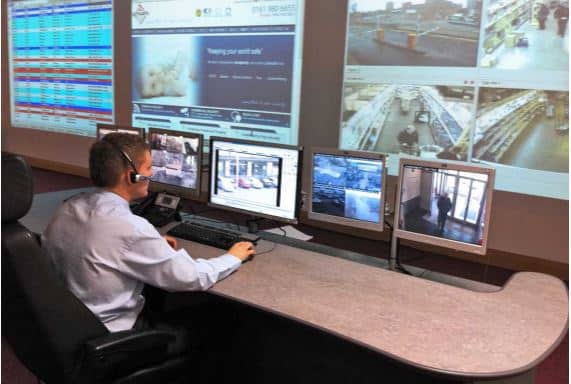
Beaming worked with key security industry players to develop the ProtectNet service. For businesses like Corps Security, it protects their network, and their reputation.
Beaming are serious about keeping our customers secure
Find more cyber security advice in our knowledge base

This content is brought to you by the Helpdesk Support Team, who provide the backbone for our specialist UK internet service provider.
Being part of this technical-led ISP, the team is committed to constantly sharing their practical, expert advice on reliable connectivity, troubleshooting, and cyber security to help UK organisations maintain secure and smooth operations.