Choosing the right authentication method for your business
Posted on 27 March 2026 by Beaming SupportWhether we like it or not, relying on a single layer of security is no longer enough to protect your business data. Choosing the right authentication methods is a critical decision that balances robust security with a seamless user experience.
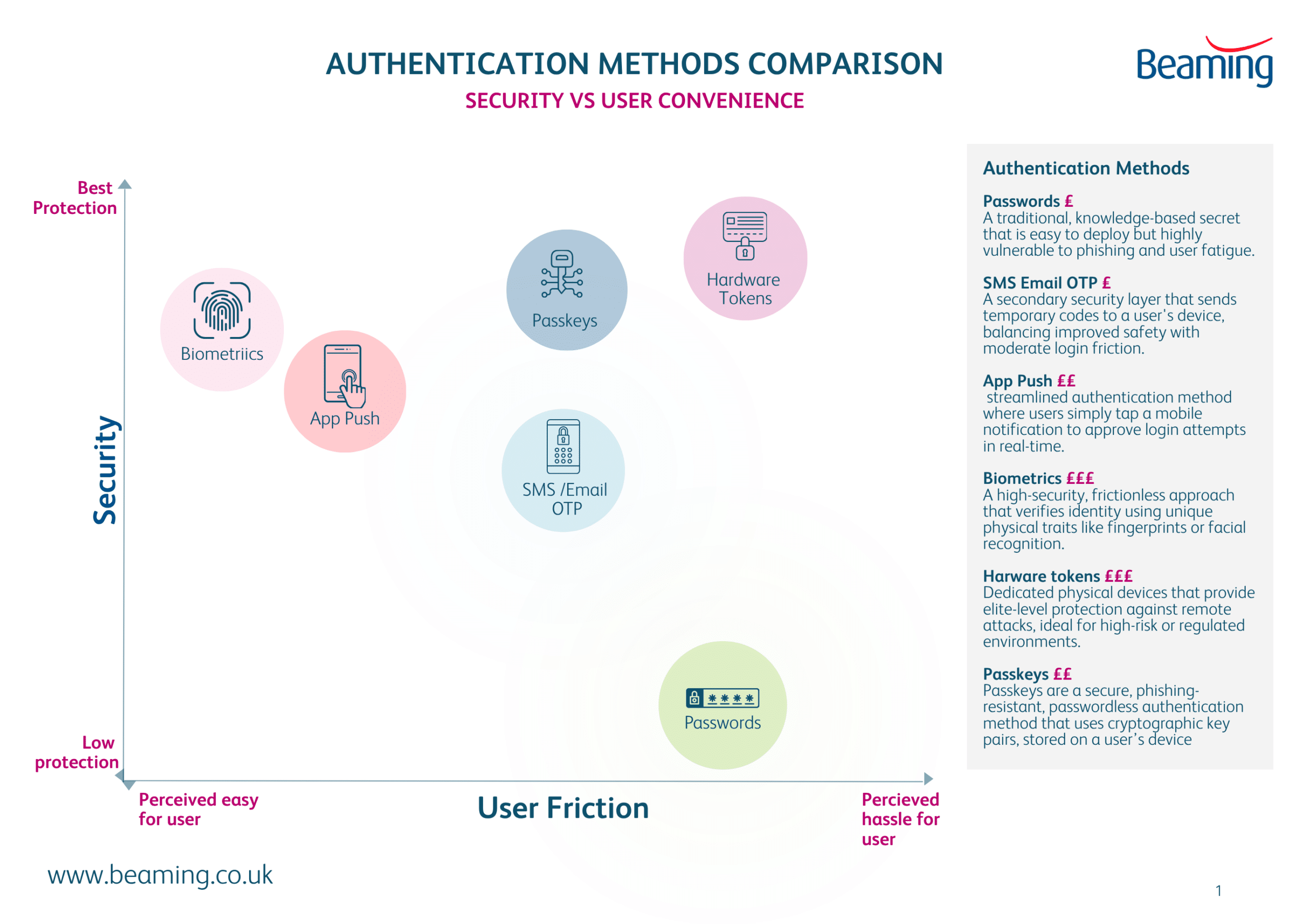
Authentication methods fall into three broad categories: something you know, something you have, and something you are. Most modern systems combine these categories to reduce risk and improve resilience. In this post we tell you the pros and cons of each method and whether it is suited for protecting your business data.
Authentication Method |
Pros |
Cons |
Best for |
Something you know |
|||
PasswordsPasswords remain the most widely used method because they’re simple to deploy and familiar to users. |
|
|
Should not be used without another authentication method (MFA). |
One‑Time Passwords (OTP)OTPs generate short‑lived codes that users enter alongside a password. These can be via SMS, Email, Apps or hardware tokens. |
|
|
General MFA where hardware tokens or passkeys aren’t feasible. |
Push Based AuthenticationUsers approve a login attempt via a mobile app notification. |
|
|
Workforces with managed mobile devices and cloud based identity systems. |
Something you have |
|||
Hardware TokensPhysical devices that generate or store authentication secrets. These can be Fast Identity Online security keys, Smart cards or hardware tokens. |
|
|
High‑security environments, privileged accounts, and regulated industries. |
Something you are |
|||
BiometricsAuthentication based on physical characteristics such as fingerprints, facial recognition, or iris scans. |
|
|
Consumer devices, mobile authentication, and environments where convenience is key. |
Passkeys (Modern Passwordless Authentication)Passkeys use public‑key cryptography tied to a device or platform account (e.g., iCloud Keychain, Google Password Manager). |
|
|
Modern applications aiming to eliminate passwords entirely. |
Managed Services from Beaming
Find more security advice in the knowledge base

This content is brought to you by the Helpdesk Support Team, who provide the backbone for our specialist UK internet service provider.
Being part of this technical-led ISP, the team is committed to constantly sharing their practical, expert advice on reliable connectivity, troubleshooting, and cyber security to help UK organisations maintain secure and smooth operations.